
On this page
For SaaS founders, on-page SEO is the most efficient way to turn a product's value proposition into a discoverable organic asset. Unlike paid ads that stop the moment the budget runs dry, optimized content acts as compounding interest for your brand. This guide breaks down the essential on-page elements specifically for the SaaS lifecycle, from product-led metadata to the strategic internal linking that connects educational content to your trial sign-up pages. By mastering these variables, you ensure that when a potential user searches for a solution to their pain point, your software is the answer they find.
The SaaS SEO Framework: Intent-Driven Discovery
SaaS SEO differs from traditional e-commerce because users are often looking for a solution to a functional problem rather than a physical item. Your on-page strategy must reflect this by mapping keywords to the specific intent of the user. At the top of the funnel, users search for pain points (e.g., "how to automate client reports"), while at the bottom, they search for solutions (e.g., "best automated reporting software").
To capture this traffic, you must audit your existing pages for keyword relevance and technical health. Start by mapping a primary keyword to every unique feature page and blog post. High-growth SaaS companies use product-led SEO, where content is built around how the product solves a specific problem. For founders, the challenge isn't just knowing these keywords, but sustaining the research and publishing required to maintain visibility. This is where autonomous platforms like Blogged help by handling the research, planning, and optimization of product-led content automatically.
Optimizing Metadata for SaaS Click-Through Rates
Title tags and meta descriptions are your product's first impression in the Search Engine Results Pages (SERPs). For SaaS, these elements must do more than just contain keywords; they must promise a benefit.
Title Tags should be kept under 60 characters to prevent truncation. Place your primary keyword near the beginning, followed by your brand name or a specific benefit. For example: "Automated Reporting Software for Agencies | BrandName."
Meta Descriptions are your 150–160 character elevator pitch. While not a direct ranking factor, they are critical for Click-Through Rate (CTR). Include a clear call to action (CTA) and highlight a unique value proposition, such as "Start your 14-day free trial" or "Integrate with Slack in seconds."
Blogged simplifies this by using its Knowledge Engine to analyze your product descriptions and documents, automatically generating optimized metadata that reflects your actual product capabilities. This ensures consistency across hundreds of pages without manual drafting.
Structuring SaaS Content for Humans and Search Engines
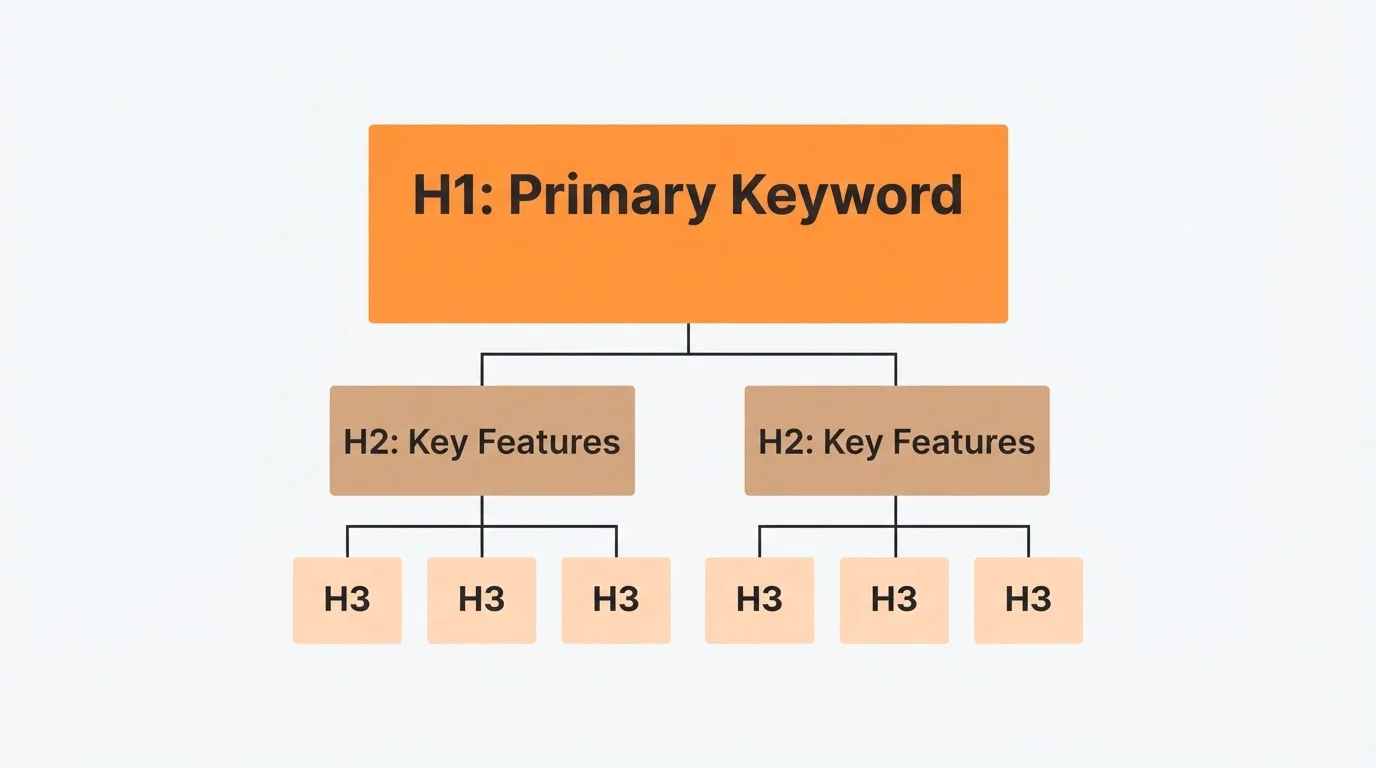
Search engines prioritize content that is easy to crawl and understand. For SaaS, this means using a clean hierarchical structure with H1, H2, and H3 tags. Your H1 should be the page's main focus, containing your primary keyword. Subsequent H2s should break down the "How-To" or feature sets, while H3s can address specific sub-features or FAQs.
Readability is equally important for retention and conversions. Avoid dense walls of text. Use short paragraphs of three sentences or less, and leverage bulleted lists to highlight key product benefits. Modern search algorithms also reward sites that use Schema Markup, specifically the SoftwareApplication and FAQPage types. This structured data helps Google understand your product's category, pricing, and operating system requirements, often resulting in rich snippets that take up more visual real estate in the SERPs.
Product-Led Internal Linking Strategies
Internal linking is the connective tissue of your SaaS website. It distributes link equity and guides users from high-level educational blog posts to transactional product pages. For a successful SaaS strategy, every informational article should link to at least one relevant product feature.
Consider a "Hub and Spoke" model: create a comprehensive guide (the hub) about a broad topic like "Project Management Best Practices" and link it to several detailed "spoke" articles about specific features of your software. This signals to search engines that you have deep topical authority. Blogged automates this process by intelligently interlinking new content with existing pages, ensuring that no page is left "orphaned" without internal connections.
Multimedia Optimization for SaaS Screenshots and UI
Visuals are essential for demonstrating a SaaS product's user interface (UI), but they can slow down your site if unoptimized. Large PNG or JPEG screenshots are common culprits for slow page speeds, which negatively impact rankings.
To optimize SaaS imagery:
- Use Modern Formats: Convert images to WebP or AVIF for superior compression.
- Target File Size: Aim to keep screenshots under 100KB whenever possible.
- Descriptive Alt Text: Instead of "dashboard-screenshot.png," use "Real-time analytics dashboard showing customer churn metrics."
- Lazy Loading: Implement lazy loading to ensure images only load as the user scrolls, improving initial page load speed.
Using browser or MacBook frames for screenshots can add a professional feel, but ensure the frames themselves are compressed assets. Proper image SEO not only helps you rank in Image Search but also improves the overall user experience and trust in your software's polish.
Leveraging Autonomous Platforms for SEO Scale
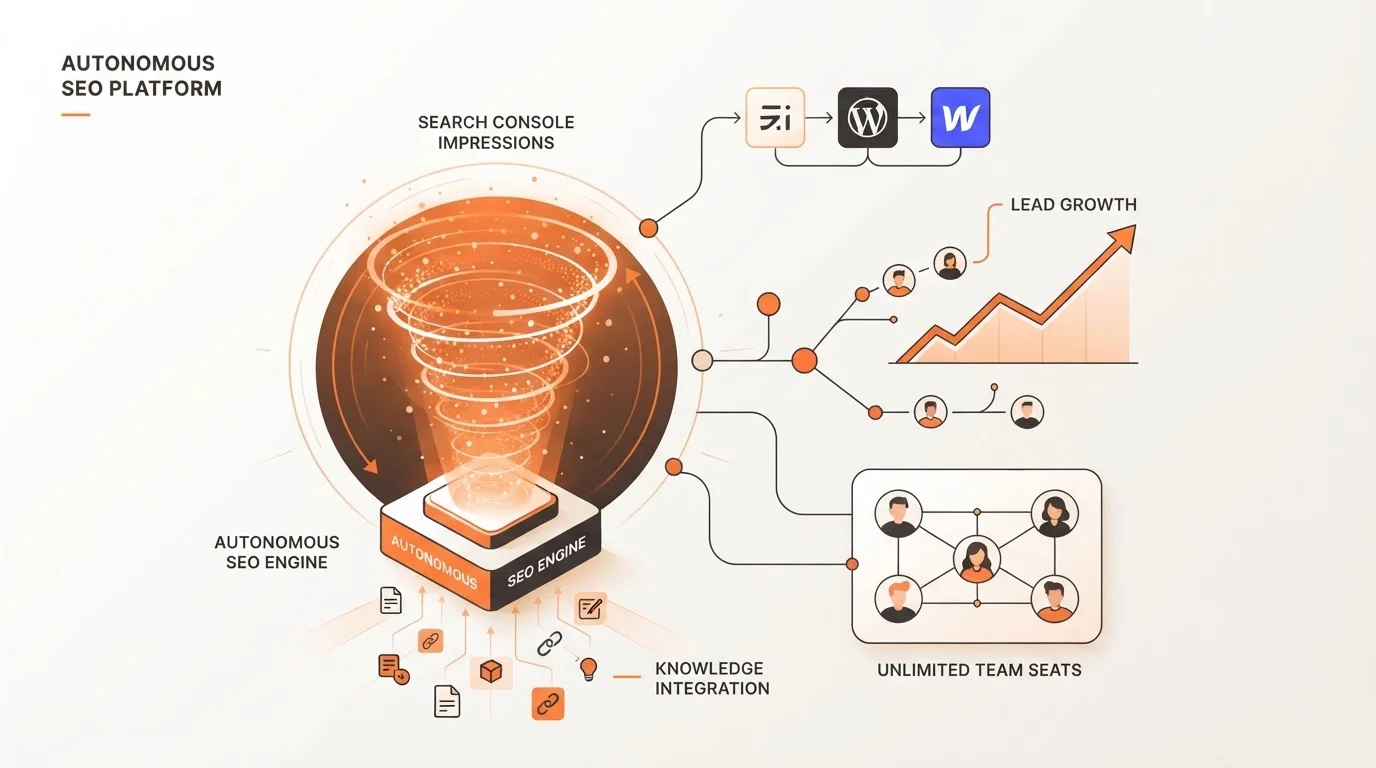
The manual overhead of managing on-page SEO—from updating meta tags to auditing internal links—is often too much for lean SaaS teams. Autonomous blogging platforms like Blogged offer a solution by running your SaaS blog on autopilot. By integrating directly with platforms like Ghost, WordPress, and Webflow, Blogged can publish and optimize content that is informed by your actual product knowledge.
Founders can provide product documentation, pasted links, or written descriptions to the Blogged Knowledge Engine, which then produces search-ready, product-led articles. With features like unlimited team seats and performance tracking via Search Console, founders can maintain an expert SEO presence while remaining focused on building their product. This automation ensures that your on-page SEO is never a "one-and-done" task, but a continuous growth driver.
Useful frequently asked questions
Q: What is the difference between on-page and technical SEO for SaaS?
On-page SEO deals with the content and HTML elements on a page, like titles and keywords. Technical SEO involves the site's backend, such as server-side rendering, sitemaps, and site speed.
Q: How often should I update my SaaS on-page content?
You should review your core product and pricing pages at least quarterly. High-performing blog posts should be refreshed annually to ensure statistics and UI screenshots remain accurate.
Q: Does on-page SEO help with user retention?
Yes. By providing clear headings and structured documentation through SEO-optimized pages, you help existing users find answers to their questions faster, reducing friction and churn.
Mastering on-page SEO is a strategic imperative for any SaaS founder looking to scale without ballooning their ad spend. By focusing on intent-driven metadata, clean content hierarchy, and strategic internal linking, you build a foundation that search engines and users both trust. While the manual work of SEO can be daunting, leveraging autonomous platforms allows you to maintain this excellence at scale. Start optimizing your core pages today to turn your product knowledge into your most powerful acquisition channel.